


Picture a meeting where three abbreviations land at once: configurator, calculator and CPQ. Everyone nods, and each person is imagining something different.
The difference fits in one sentence per tool. A calculator works out a price from a single rate. A product configurator lets the customer put a product together from permitted options, checks the rules and sends the salesperson a brief. CPQ (configure, price, quote) helps a salesperson assemble a configuration, work out the price and issue a quote, usually alongside a CRM or ERP. If your enquiries arrive without dimensions, start with a configurator.
Product configurator vs CPQ vs calculator: three different questions
Each answers a different question and puts it to a different person.
The calculator: how much does it cost?
The customer enters one quantity, most often a length or an area, and gets a price from a single rate. It's quick and easy to read. A made-to-order product isn't priced from one quantity, though. It's priced from panels, posts, corners and gates, and the calculator never asks about them. So the salesperson gets a number, not a brief. Where it breaks is the subject of Why a per-metre calculator lies, and what to do instead.

The product configurator: can it be built, and what exactly does the customer want?
The customer builds the product from permitted options, sees it in 3D, and the configurator checks the agreed rules. A combination that can't be made can't be chosen either. The price is put together from your price list. The result is a brief with dimensions, options and contact details. It sits on your website and the customer works with it.
CPQ: what does the quote look like, and who approves it?
CPQ sits on the salesperson's side. It assembles the configuration, works out the price and issues the quote, often with discounts, approvals and a connection to the ERP. It usually includes a configurator, but its centre of gravity is the quote. It's a tool for the sales department.
The difference in three questions
- Who works with it? The customer on the website uses the calculator and the configurator. The salesperson at their desk uses CPQ.
- What comes out? A number from the calculator, a brief from the configurator, a quote from CPQ.
- What does it check? The calculator checks nothing. The configurator checks production rules and combinations. CPQ checks the rules of the configuration and the price, often including discounts and approvals.
It's a question of order, not a contest
Plenty of firms don't have to choose. The configurator stands at the front and captures a complete enquiry, and CPQ can later prepare the formal quote behind it, with discounts and data from the ERP. If a firm loses time mainly on filling in the brief, the first step is the configurator, and only then the quote document. We covered that difference (speeding up the document versus speeding up the brief) in How to cut your quote turnaround time.
What to choose, by situation
- Enquiries arrive without dimensions and the salesperson chases them by email. A configurator. The brief arrives before anyone has to ask.
- The product has one quantity and one price list with no exceptions. A calculator may be enough, if it's clearly marked as indicative.
- Several salespeople prepare quotes with discounts, and prices have to match the ERP. CPQ, possibly after a configurator.
- You don't know where the time goes. Measure how long the path from enquiry to quote sent takes, and where it stalls: while filling in the brief, or in the quote itself.
Where treede fits
With treede, the customer builds the product, the configurator checks the rules within the agreed scope and works out the price from your price list. The salesperson gets the specification, contact and a link to the design in treede CRM, and prepares the quote from it.
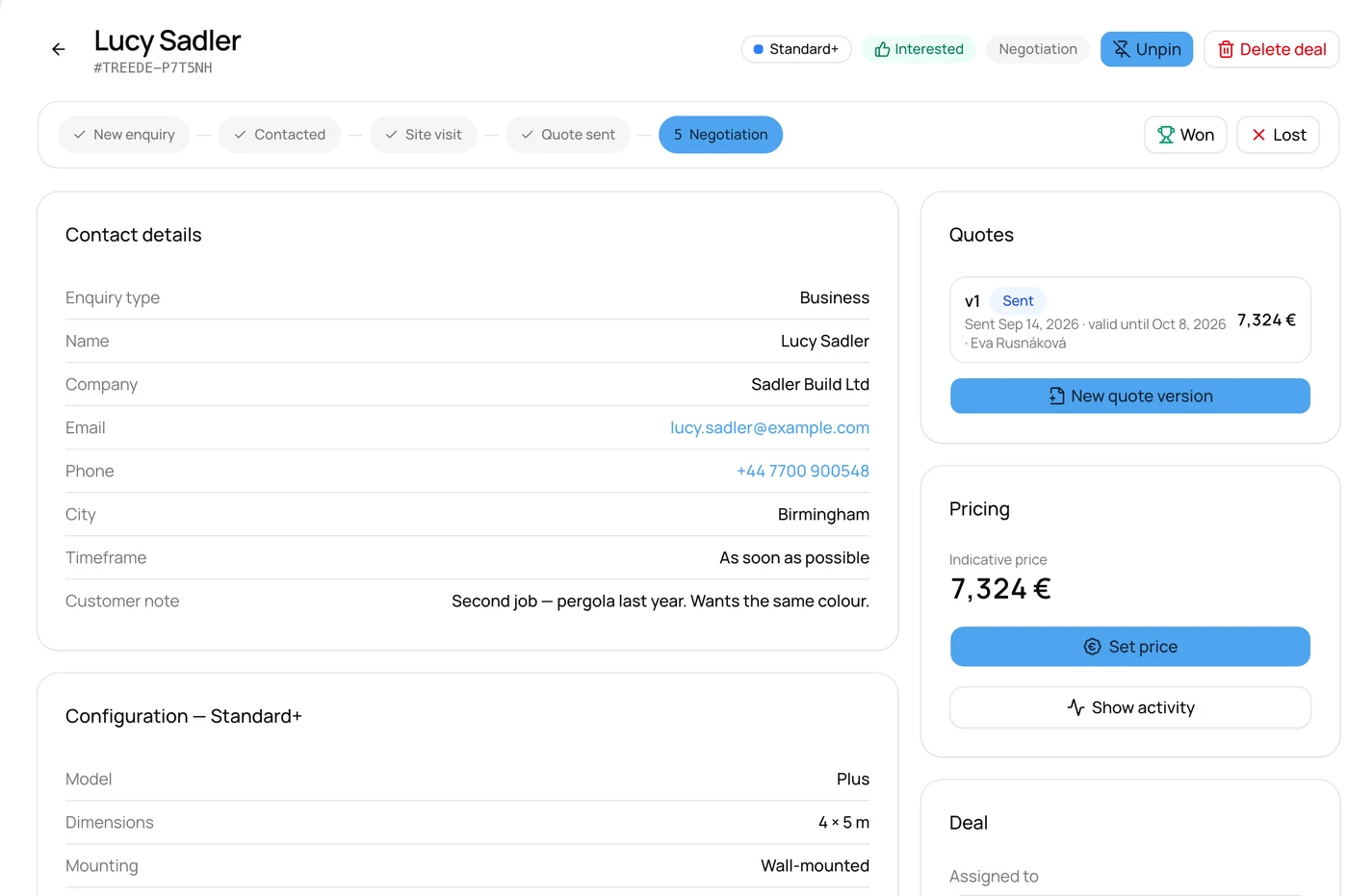
The picture shows a sample enquiry in treede CRM. The names, company and amount are made up.
In the demo you can export the design to PDF. PDF output for your deployment is in preparation. A connection to your CRM or ERP is designed individually, around the system's interface, and isn't a catalogue of ready-made connectors. There's an overview of product types in the configurator catalogue.
Frequently asked questions
Is a product configurator the same as CPQ?
No. A configurator handles choosing options and checking rules, usually on the customer's side. CPQ also covers the price and the quote on the salesperson's side, and it usually includes a configurator. It doesn't work the other way round.
Does a small firm need CPQ?
It depends on where its time goes. If it's incomplete briefs, a configurator helps. CPQ is worth considering once the quote itself becomes the bottleneck: discounts, approvals and consistency with the ERP.
Can a configurator be connected to CPQ or an ERP?
A connection is designed individually, around the system's interface and the agreed fields, and we assess it before pricing. It isn't a catalogue of ready-made connectors.
Three abbreviations, one meeting
At the next meeting you'll know which abbreviation answers which question. And if you find your enquiries arrive without dimensions, start by checking whether your price list and rules are ready. You can do that in the readiness checklist. What a configurator with treede CRM costs is on the pricing page, no request needed.